
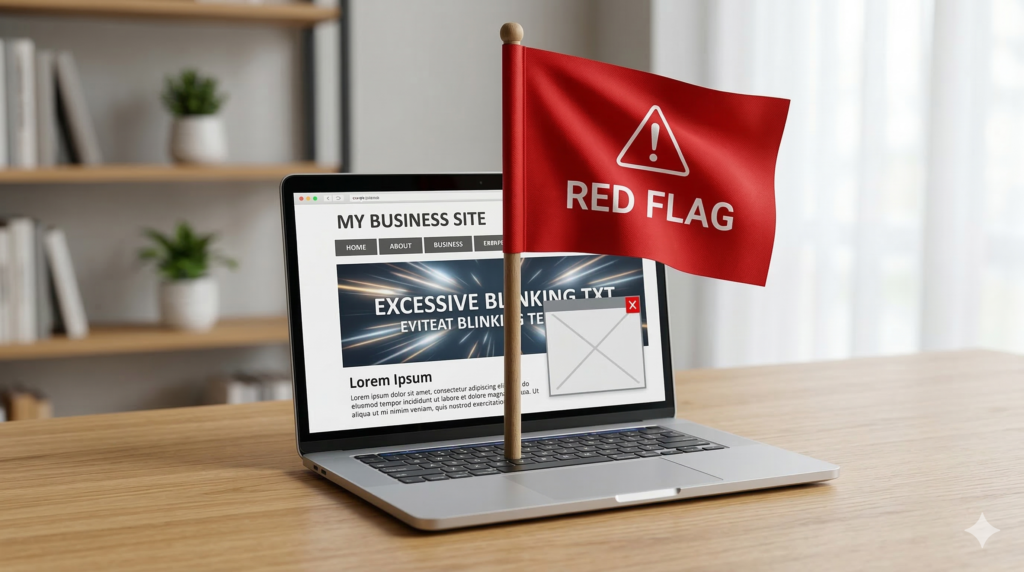
5 website red flags that make you look like a spam site
You’ve invested in marketing. You’re driving traffic to your website. But here’s the problem: visitors arrive, glance at your homepage for three seconds, and vanish. Your bounce rate is through the roof.
Here’s the uncomfortable truth: your website might be accidentally triggering the same alarm bells in people’s brains that scam sites do on purpose.
Users make snap judgments about website credibility in about 50 milliseconds (faster than you can blink). After years of dodging phishing attempts, malware pop-ups, and too-good-to-be-true offers, people have developed a sixth sense for spotting sketchy websites. If your legitimate business accidentally uses the same tactics that spammers rely on, you’ll lose potential customers before they even read your first headline.
The good news? Most of these red flags are fixable. Let’s walk through the five most common mistakes that make visitors think “scam” and show you exactly how to fix them.
Red flag #1: The dreaded “not secure” warning
When someone visits your website and sees “Not Secure” displayed right next to your URL in their browser, it’s game over before you’ve even started.
Modern browsers (especially Google Chrome) actively flag HTTP sites as unsafe. That little warning isn’t subtle. It’s right there in the address bar, screaming “DANGER” to anyone who clicks on your link.
Why it screams “spam”: That warning tells users their data isn’t encrypted. Phishing sites, scam operations, and malware distributors rarely bother with SSL certificates because they’re disposable operations. If you don’t have HTTPS, you’re lumped into the same category in visitors’ minds.
This is especially devastating if you’re trying to collect information: email addresses, phone numbers, payment details. Would you enter your credit card number on a site labeled “Not Secure”? Neither will your customers.
Real-world impact: A local roofing company once saw a 40% drop in lead form submissions overnight. They couldn’t figure out what changed until they realized their SSL certificate had expired. The moment that browser warning appeared, potential customers stopped trusting them with their contact information. Once they renewed the certificate, conversions returned to normal within 48 hours.
The quick fix
1. Check if you have SSL. Type your website URL with “https://” at the beginning. If it redirects to “http://” or shows a warning, you have a problem.
2. Get an SSL certificate. Most hosting providers offer free Let’s Encrypt SSL certificates. If you’re with a major host like Bluehost, SiteGround, or GoDaddy, you can usually enable HTTPS with a single click in your control panel.
3. Force HTTPS. Once your certificate is installed, make sure your website automatically redirects visitors to the secure version. This usually requires adding a simple redirect rule to your site’s configuration.
If this sounds technical and you’re not sure where to start, contact your web hosting provider. This is a standard request they handle daily, and most can enable HTTPS for you within minutes.
Red flag #2: The pop-up ambush
You land on a website and immediately get bombarded. A newsletter signup pop-up covers the screen. A live chat widget pings in the corner. A cookie consent banner slides up from the bottom. A notification request appears at the top. All within the first three seconds.
It’s overwhelming, aggressive, and the exact opposite of a good first impression.
Why it screams “spam”: This behavior mimics malware sites and clickbait farms that are trying to trap you. Legitimate businesses don’t need to trap visitors—they earn their attention. When you throw five interruptions at someone before they’ve even read a single word of your content, you signal desperation.
Mobile users get hit especially hard. On a small screen, an aggressive pop-up doesn’t just interrupt—it completely blocks the entire experience.
Real-world impact: Studies consistently show that intrusive interstitials (the fancy term for these pop-ups) increase bounce rates significantly. Google even penalizes sites that use aggressive mobile pop-ups in search rankings. You’re literally paying to drive traffic to your site, then immediately annoying those visitors away.
The quick fix
1. Delay your pop-ups. If you use newsletter sign-up forms or special offers, set them to appear only after a visitor has scrolled 50% down the page or spent at least 30 seconds on your site. This shows you respect their time and want them to see your content first.
2. Make the exit obvious. When a pop-up does appear, make sure the “X” button to close it is large, clearly visible, and actually works. Nothing frustrates users more than a close button that doesn’t close anything.
3. Limit the interruptions. You don’t need five different tools fighting for attention. Pick one (whether it’s a newsletter form, a chat widget, or a special offer) and present it thoughtfully.
4. Test on mobile. Pull out your phone right now and visit your own website. Can you read the content? Or are you spending your time closing pop-ups and dismissing notifications? If you find it annoying, your customers do too.
Bottom line: Let visitors experience your content before you ask them for anything. Build value first, request action second.
Red flag #3: The ghost town contact page
Your Contact page has a blank form with fields for name, email, and message. That’s it. No phone number. No email address. No physical location. Just a digital suggestion box that goes… somewhere.
Why it screams “spam”: Fly-by-night operations hide their identities because they don’t plan to be around long. Scam sites use generic contact forms because they don’t want to be tracked down. Legitimate businesses, on the other hand, make themselves easy to reach.
When a potential customer can’t find a way to actually contact you (like, pick up the phone and talk to a human), they start wondering if you’re real. And if they’re wondering that, they’re definitely not buying from you.
Real-world impact: This plummets trust, especially for higher-value purchases or services. If I’m considering hiring someone to remodel my kitchen or manage my company’s IT infrastructure, I want to know exactly who I’m dealing with. A mysterious contact form doesn’t cut it.
Think about your own behavior: When you’re researching a company and can’t find any real contact information, don’t you get a little suspicious? Your customers feel the same way about you.
The quick fix
1. Add a real business address. You don’t need to broadcast your home address if you work from home, but at minimum, list your city and state. If you have a physical office or storefront, put the full address in your footer and on your Contact page.
2. Provide a direct email address. List an actual email address, not just a form. Something like info@yourcompany.com or hello@yourcompany.com works great. It shows you’re accessible and not hiding behind automation.
3. Include a phone number. Even if most of your communication happens via email, having a phone number visible signals legitimacy. List it in your header or footer so it appears on every page.
4. Add business hours. Let people know when they can expect to reach you. “Monday-Friday, 9 AM-5 PM CST” tells visitors you’re a real operation with real hours, not a bot waiting to phish their information.
5. Consider adding staff photos. If appropriate for your industry, showing the faces behind your business builds immediate trust. People buy from people, not from anonymous entities.
Bottom line: Make yourself easy to contact through multiple channels. Accessibility breeds trust.
Red flag #4: Robot copy and keyword stuffing
You click on a service page and encounter a wall of text that reads like this:
“We are the best plumber in Chicago for all your Chicago plumbing needs. Our Chicago plumbing company provides Chicago area plumbing services to Chicago residents and Chicago businesses. When you need a Chicago plumber, call our Chicago plumbing team.”
It’s exhausting to read, sounds completely unnatural, and screams “I’m trying to trick Google.”
Why it screams “spam”: This is the hallmark of cheap SEO from 2008, back when you could game search engines by repeating keywords over and over. Today, this approach doesn’t fool Google, and it definitely doesn’t fool humans.
When your copy reads like it was written for a search bot rather than a person, it destroys your brand authority. It tells visitors you don’t care about their experience, you just want to rank. And if you don’t care about your messaging, why would anyone believe you care about your service?
Even worse, with the rise of AI writing tools, many businesses now have content that’s technically grammatically correct but completely soulless. It hits all the keyword targets and follows the content brief, but it has no personality, no real insight, and no human touch.
Real-world impact: Visitors skim your content, feel nothing, and leave. Google’s algorithms have gotten sophisticated enough to recognize and penalize keyword-stuffed content. You’re not gaining an SEO advantage—you’re actively hurting your rankings while simultaneously driving away the humans who do manage to find you.
The quick fix
1. Write for humans first, search engines second. Start by answering the real questions your customers have. What do they need to know before they hire you? What concerns do they have? Address those directly in clear, conversational language.
2. Break up walls of text. Use clear subheadings to organize your content. Add bullet points for easy scanning. Keep paragraphs short (3-4 sentences max) so readers can skim easily.
3. Focus on benefits, not just features. Instead of saying “We offer 24/7 emergency plumbing services in Chicago,” try “When your water heater fails at 2 AM, you can call us. We answer the phone, and we show up, even on weekends.”
4. Read your copy out loud. If it sounds awkward or robotic when you say it, it needs to be rewritten. Real people should be able to speak your website copy naturally.
5. Use keywords naturally. Yes, SEO matters. But work your keywords into sentences that would exist anyway. “We’re a family-owned plumbing company serving Chicago and the surrounding suburbs” feels natural. Repeating “Chicago plumbing” fifteen times in one paragraph doesn’t.
6. Get a second opinion. If you’re using AI to draft content (which is fine), make sure a real human edits it before it goes live. Add your personality, your specific insights, your actual experience. That’s what makes you different from your competitors.
Bottom line: If your content wouldn’t pass the “read it out loud to a friend” test, rewrite it. People can smell artificial copy from a mile away.
Red flag #5: Broken elements and that “MySpace” look
Images show up as broken icon placeholders. Links lead to 404 error pages. Text overlaps images on mobile devices. The design aesthetic looks like it was fresh in 2012 (which means it’s ancient now). Buttons don’t work. Forms fail silently. The site feels… neglected.
Why it screams “spam”: Scam sites are thrown together quickly and poorly. They’re not built to last because they’re not meant to last. When your website shows signs of neglect (broken links, outdated design, mobile responsiveness failures), visitors unconsciously categorize you as unprofessional at best, and potentially fraudulent at worst.
The logic in their minds is simple: If you can’t maintain your website, how can you be trusted to maintain your business operations? If you don’t care enough to fix broken elements on your digital storefront, why would you care about keeping promises to customers?
Real-world impact: A broken or outdated website directly damages your credibility. According to Stanford Web Credibility Research, 75% of users judge a company’s credibility based on their website design. An outdated design doesn’t just look bad—it makes people question whether you’re still in business.
Mobile is especially critical here. More than 60% of web traffic comes from mobile devices. If your site breaks on smartphones (text that’s too small, buttons that are too close together, images that don’t scale), you’re alienating the majority of your potential customers.
The quick fix
1. Run a broken link check. Use a free tool like Dead Link Checker or Broken Link Checker to scan your entire site. These tools will find all the 404 errors, broken images, and dead links in minutes. Then fix them.
2. Test on actual mobile devices. Don’t just resize your browser window. Actually pull out your phone and visit your website. Tap on buttons. Fill out forms. Read the text. If you struggle, your customers are struggling too.
3. Update your design elements. You don’t need a complete redesign to look modern. Start with fonts: switch from outdated serif fonts or decorative scripts to clean, readable sans-serif fonts like Open Sans, Lato, or Roboto. Make sure your font sizes are large enough to read easily (16px minimum for body text).
4. Fix overlapping elements. If text appears on top of images, make sure there’s enough contrast for readability. Use text shadows, overlay layers, or choose different image areas that don’t conflict with your copy.
5. Update old imagery. Stock photos from 2010 have a distinct look that dates your site immediately. Invest in fresh, high-quality images, or better yet, use real photos from your actual business.
6. Check your forms. Submit a test inquiry through your own contact form. Does it work? Do you receive the email? Does the user get a confirmation message? You’d be surprised how many businesses have broken contact forms and don’t realize they’re losing leads.
7. Look at your footer. If your copyright notice says “© 2018” and it’s 2026, that’s a red flag. It suggests the site hasn’t been touched in years. Keep it updated.
Bottom line: Your website should feel current, functional, and well-maintained. Regular maintenance isn’t optional, it’s essential for credibility.
The bottom line: trust is the currency of conversions
Here’s what it all comes down to: You can drive all the traffic in the world to your website, but if visitors don’t trust you within the first few seconds, they’ll leave. And they won’t come back.
The five red flags we’ve covered (missing security, aggressive pop-ups, ghost town contact pages, robot copy, and broken elements) are all trust killers. Individually, any one of them can cost you customers. Combined, they’re devastating.
The good news is that these are all fixable. You don’t need a complete website overhaul or a massive budget. You need to look at your site through your customers’ eyes and remove the friction points that make them question your legitimacy.
Trust gets built through small signals: A secure connection. A clean, uncluttered experience. Real contact information. Human-sounding copy. A website that actually works. These aren’t fancy features, they’re baseline expectations.
When you meet those expectations, something remarkable happens: Visitors stop looking for reasons to leave and start looking for reasons to stay. They read your content. They explore your services. They reach out. They become customers.
Ready to fix your website red flags?
Not sure if your website is accidentally turning away customers? You don’t have to figure it out alone.
Eclipse Digital specializes in website audits that identify exactly what’s hurting your conversions and how to fix it. We’ll review your site for trust issues, user experience problems, mobile responsiveness, and all the subtle red flags that make visitors bounce.
Then we’ll help you build a website your customers can actually trust. One that doesn’t just look professional, it converts traffic into leads and leads into customers.
Let’s build a site that works for your business, not against it.
Contact Eclipse Digital today for a website audit and see exactly what’s standing between you and more conversions.

