
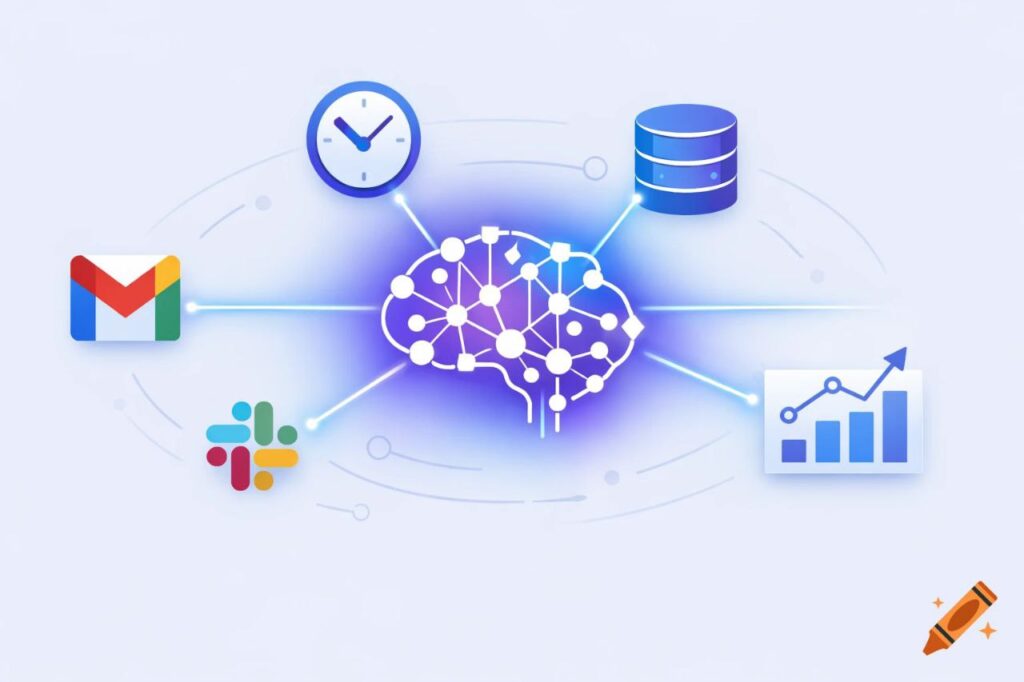
You know the morning drill. Check email in Gmail. Review your calendar. Jump to Slack for team messages. Open HubSpot to scan the sales pipeline. Switch to Telegram for client updates. Back to email for that urgent message. What were you doing again?
By 9:30 AM, you’ve already context-switched a dozen times. And the day has barely started.
This isn’t a productivity problem. It’s an architecture problem. Every tool you add to your stack makes you more powerful on paper—and more fragmented in practice. You’re not managing a business. You’re managing a control panel with 47 different buttons spread across 12 different rooms.
What if there was a better way? Not another tool to add to the pile, but a single AI assistant that could reach into all of them—reading your emails, monitoring your calendar, updating your CRM, and surfacing what actually matters when it matters.
That’s what OpenClaw does. And it’s not some distant future concept. It’s working software you can install this weekend.
What is OpenClaw?
OpenClaw is an open-source framework that transforms Claude AI from a chatbot into an integrated business assistant. Think of it as the connective tissue between your brain and your business systems.
Instead of you jumping between Gmail, HubSpot, Slack, and Asana to piece together context, OpenClaw becomes your digital chief of staff. It connects to those systems on your behalf. You ask questions in plain English. It takes action.
“What’s on my calendar today and do I need to prep anything?”
OpenClaw checks your calendar, scans related emails, pulls relevant HubSpot contacts, and gives you a briefing. No tab-switching required.
“Update the deal with Acme Corp to ‘Proposal Sent’ and remind me to follow up Friday.”
Done. CRM updated. Reminder scheduled. You keep thinking.
This isn’t automation in the traditional sense—rigid workflows that break when reality doesn’t match the script. It’s intelligence. OpenClaw understands context, maintains memory across conversations, and adapts to how you actually work.
Why your business needs AI mission control
Let’s be honest about what “productivity tools” have given us: productivity theater.
We have amazing software. CRMs that track every customer interaction. Project management tools with Gantt charts and kanban boards. Communication platforms with threads and channels and reactions. Email clients with labels and filters and snoozing.
And yet—deals slip through the cracks because someone forgot to follow up. Client questions sit unanswered in Slack while you’re drowning in email. That important contract is somewhere in Google Drive, but where exactly?
The problem isn’t the tools. It’s that each one lives in its own silo, and you’re the only bridge between them.
OpenClaw solves this through four capabilities:
Centralized access: One interface to all your systems. Ask about anything, from anywhere.
Active monitoring: Instead of you checking each tool manually, OpenClaw watches for what matters—deals stuck in pipeline, unanswered messages, upcoming deadlines—and surfaces them.
Intelligent automation: Not just “if this, then that” rules, but actual reasoning. “This email is asking for pricing, pull the standard rate sheet, but check if we’ve quoted them before and reference that number.”
Always-on availability: Your business doesn’t pause at 5 PM. OpenClaw doesn’t either. Set it to monitor overnight and wake you only for true emergencies.
The result? You spend less time managing tools and more time running your business.
How it actually works
OpenClaw sits between Claude AI and your business infrastructure. Here’s the basic architecture:
The Gateway runs on your computer (or a server) and handles the connections. Think of it as the central hub.
Skills are pre-built integrations with specific services. There’s a HubSpot skill, a Google Workspace skill, a Telegram skill, and more. Each one teaches Claude how to interact with that service’s API.
Memory gives your assistant context that persists across conversations. It’s not starting from zero every time you ask a question. It remembers your clients, your preferences, your ongoing projects.
Heartbeats are scheduled check-ins where OpenClaw monitors your systems and reports back. “Your 2 PM meeting starts in an hour. The client emailed an updated agenda. Pipeline has three deals idle for over a week.”
Multi-channel means you can interact through Telegram, Discord, web interface, or command line. Use whatever fits your workflow.
The magic is in the combination. Claude’s language understanding plus direct system access plus persistent memory equals an assistant that gets smarter the more you use it.
Real-world example: How Eclipse Digital uses OpenClaw
At Eclipse Digital, we built an OpenClaw assistant named Digi. Here’s what a typical day looks like:
Morning (7:30 AM): Digi sends a Telegram message with the daily briefing. Calendar summary with prep notes for each meeting. Overnight emails flagged by priority. HubSpot pipeline snapshot highlighting deals that need attention.
This happens automatically via a scheduled heartbeat. No app-opening required. Just coffee and a clear picture of the day ahead.
Throughout the day: Client emails come into Digi via Telegram. “What’s the history with Apex Manufacturing?” Digi pulls the HubSpot record, recent email threads, and past project notes. Full context in 30 seconds.
When a discovery call wraps up, a quick Telegram message: “Create deal for ‘Apex – Website Redesign’, $15k, closing April.” Digi updates HubSpot immediately. No CRM tab open. No “I’ll update it later” (and forget).
Meeting notes? Dictate key points to Digi. It logs them to the appropriate client record and extracts any action items.
Weekly (Friday 4 PM): Digi sends a pipeline health report. Deals in each stage, week-over-week movement, stalled opportunities with recommendations. Plus a scan for dormant clients worth re-engaging.
The result? Deals don’t fall through cracks. Client questions get answered faster. Pipeline visibility is instant instead of “let me pull that report.” And all of this happens through Telegram—from phone, desktop, anywhere.
The time savings are measurable. Roughly 60-90 minutes per day that used to go toward “check email, check calendar, check CRM, update CRM, check Slack.” That’s 5-7.5 hours per week redirected to actual client work.
Getting started: Your first weekend with OpenClaw
Ready to build your own mission control? Here’s the step-by-step.
Step 1: Install OpenClaw (30 minutes)
OpenClaw runs on Linux, Mac, or Windows (via WSL). You’ll need Node.js installed (it’s free).
Open your terminal and run:
npm install -g openclaw

openclaw gateway start
That’s it. The gateway is now running and ready to connect.
Step 2: Add your API keys (20 minutes)
OpenClaw needs permission to access your services. You’ll configure this in `~/.openclaw/config.yaml`.
At minimum, you need an Anthropic API key (for Claude). Get one at console.anthropic.com—it takes about 5 minutes and costs $0 to set up.
Add service keys as you go: HubSpot, Google Workspace, Slack, whatever you use. Each service has documentation for generating API credentials.
Step 3: Connect a communication channel (10 minutes)
The easiest option is Telegram. Create a bot (search for @BotFather in Telegram), get your bot token, add it to OpenClaw’s config.
Now you have a direct line to your AI assistant from your phone. No web interfaces, no separate apps.
(You can also use Discord, a web interface, or pure command line—whatever fits your style.)
Step 4: Install your first skills (20 minutes)
This is where OpenClaw gets superpowers. Install skills for the services you use:
clawhub install hubspot

clawhub install gog
The `gog` skill handles Google Workspace—Gmail, Calendar, Drive, Contacts, Sheets.
Each skill comes with documentation. You’ll add API credentials for that specific service, and suddenly your assistant can read your emails, check your calendar, update your CRM.
Step 5: Define your assistant’s personality (30 minutes)
This is the fun part. OpenClaw uses text files to configure how your assistant thinks and acts:
SOUL.md defines personality and communication style. Want terse, bullet-point answers? Chatty and encouraging? Professional and direct? You decide.
MEMORY.md is your assistant’s long-term knowledge base. Client background, your preferences, company policies—anything it should remember permanently.
HEARTBEAT.md sets up automated tasks. “Check my calendar every morning at 7:30 and send a briefing. Scan my email inbox every 2 hours. Alert me if any HubSpot deals are idle for 5+ days.”
You’re not coding. You’re writing instructions in plain English.
Step 6: Start small and build (Ongoing)
Don’t try to automate everything on day one. Start with simple requests:
“What’s on my calendar tomorrow?”
“Show me open deals in HubSpot.”
“Summarize my unread emails from the last 4 hours.”
Your assistant learns your patterns, builds memory, and becomes more useful over time. Within a week, you’ll wonder how you managed without it.
Beyond the basics: Advanced capabilities
Once you’re comfortable, OpenClaw has deeper capabilities:
Sub-agents let you delegate specialized work. Need a blog article written? Spawn a content creation sub-agent. Code review? Spawn a coding agent. Each has its own context and memory.
Custom dashboards can be generated on demand. “Build me a web dashboard showing this week’s sales activity and revenue.” OpenClaw writes the HTML, serves it locally, and gives you the link.
Workflow automation chains multiple steps. “When a new deal enters ‘Proposal Sent’ stage, pull the proposal from Drive, email it to the client, and schedule a follow-up for 3 business days.”
Knowledge management handles the difference between ephemeral and permanent. Daily logs capture what happened. Curated memory files distill lessons learned. Your assistant gets genuinely smarter over time.
Security: What about my data?
Valid question. You’re giving an AI access to sensitive business systems. Here’s how OpenClaw handles security:
API key management: Keys are stored locally, encrypted, never transmitted to third parties. OpenClaw is open-source—you can audit exactly what it does.
Permission scoping: Give each integration the minimum access it needs. HubSpot can read deals but not delete them. Gmail can read inbox but not send as you (unless you explicitly allow it).
Audit logging: Every action is logged. You can review exactly what your assistant did and when.
Data isolation: Separate workspaces for separate contexts. Your personal assistant doesn’t mix with your work assistant.
Human oversight: Sensitive actions (like sending emails or deleting records) can require explicit approval. OpenClaw asks, you authorize, then it proceeds.
Is it risk-free? No. But compare the risk profile to “every employee has direct access to these same systems” or “we use a third-party SaaS tool that processes our data on their servers.” OpenClaw runs on infrastructure you control.
What does this actually cost?
Let’s talk numbers.
Anthropic API: Claude Sonnet runs about $3 per million input tokens and $15 per million output tokens. For typical business use (dozens of interactions per day, moderate complexity), expect $20-100/month. Heavy usage might hit $200.
Service API fees: Most are free or already part of your existing subscriptions. HubSpot, Google Workspace, Slack—you’re already paying for them.
Hosting (optional): If you want OpenClaw running 24/7 on a server instead of your laptop, a basic VPS costs $5-20/month.
Development time: Initial setup is 4-8 hours if you’re comfortable with basic terminal commands. Less if you just want the essentials.
Total incremental cost: Under $150/month for most small businesses.
Compare that to hiring a part-time assistant (even 10 hours/week is $2,000+/month) or the hidden cost of you spending 90 minutes daily on tool-switching overhead (your time has a dollar value too).
Use cases by business type
Solo entrepreneurs: You’re wearing all the hats. OpenClaw centralizes communication monitoring (email, Telegram, Slack, all in one feed), ensures follow-ups and deadlines never slip, and generates reports from scattered data across tools.
Small teams (5-15 people): Knowledge gets trapped in individual heads. OpenClaw is a centralized team brain. “What was the final design decision on the Acme project?” Everyone gets the same answer. Status updates, client history, project context—instantly accessible.
Agencies: You’re juggling multiple clients, each with their own projects, contacts, and communication threads. OpenClaw tracks everything, pulls full client histories on demand, automates routine client reports, and monitors active campaigns for anomalies.
Sales organizations: Pipeline health is everything. OpenClaw alerts when deals stall, automates CRM data entry from emails and calls, and surfaces historical opportunities (“This client spent $50k with us in 2023 but hasn’t bought anything in 10 months—might be worth a check-in”).
Getting started this weekend
Here’s the truth: the barrier to entry is low. OpenClaw is free and open-source. The technical setup is easier than configuring most SaaS tools. You can have basic functionality running in under an hour.
The minimal viable setup:
- 30 minutes: Install OpenClaw and get the gateway running
- 10 minutes: Connect Telegram
- 20 minutes: Add one integration (start with Google Calendar or Gmail)
You now have an AI assistant you can text from your phone that knows your schedule and can read your email. That alone changes the game.
From there, add integrations as you need them. Configure automated monitoring when you’re ready. Customize the personality to match your style.
Within a week, it’ll be indispensable. Within a month, you’ll forget how you operated before.
The bigger picture: What this actually means
We’re at an inflection point in how businesses operate. AI isn’t replacing humans—it’s amplifying what humans do best.
The tedious, the routine, the forgettable—”Did I follow up on that email?” “What was the deal value?” “Where’s that file?”—these aren’t valuable uses of human brainwidth. They’re cognitive overhead.
OpenClaw handles that overhead. It remembers everything, connects everything, monitors everything. It frees you to focus on what actually matters: strategy, creativity, relationships, judgment calls.
This is mission control for your business. One AI assistant, connected to everything, working for you 24/7, getting smarter over time.
And it’s not vaporware or some distant future concept. It’s working software you can install this weekend.
Ready to build yours?
Start with the documentation at docs.openclaw.ai for detailed installation guides and tutorials.
Join the community at discord.com/invite/clawd to learn from others who are already running OpenClaw in production.
Need help implementing a custom system for your business? Eclipse Digital specializes in exactly this kind of integration. We built Digi for ourselves, and we can help you build your equivalent.
Because the goal isn’t to sell you more tools. It’s to help you finally get control of the ones you already have.
—
About Eclipse Digital: We’re a web development and digital strategy agency that builds modern solutions for modern businesses. We use OpenClaw internally (our assistant is named Digi) to deliver better client service and run more efficiently—and we help other businesses implement similar AI mission control systems. If you’re interested in exploring how this could work for your organization, reach out at eclipsedigital.com.

